Universal Robots · Collaborative robot · Commercial product
UR5e
UR5e is a six-axis collaborative robot arm from Universal Robots with a 5 kg maximum payload and an 850 mm reach.
Editorial source check: 8 October 2026. Specialist technical review: not yet performed. Why we say this
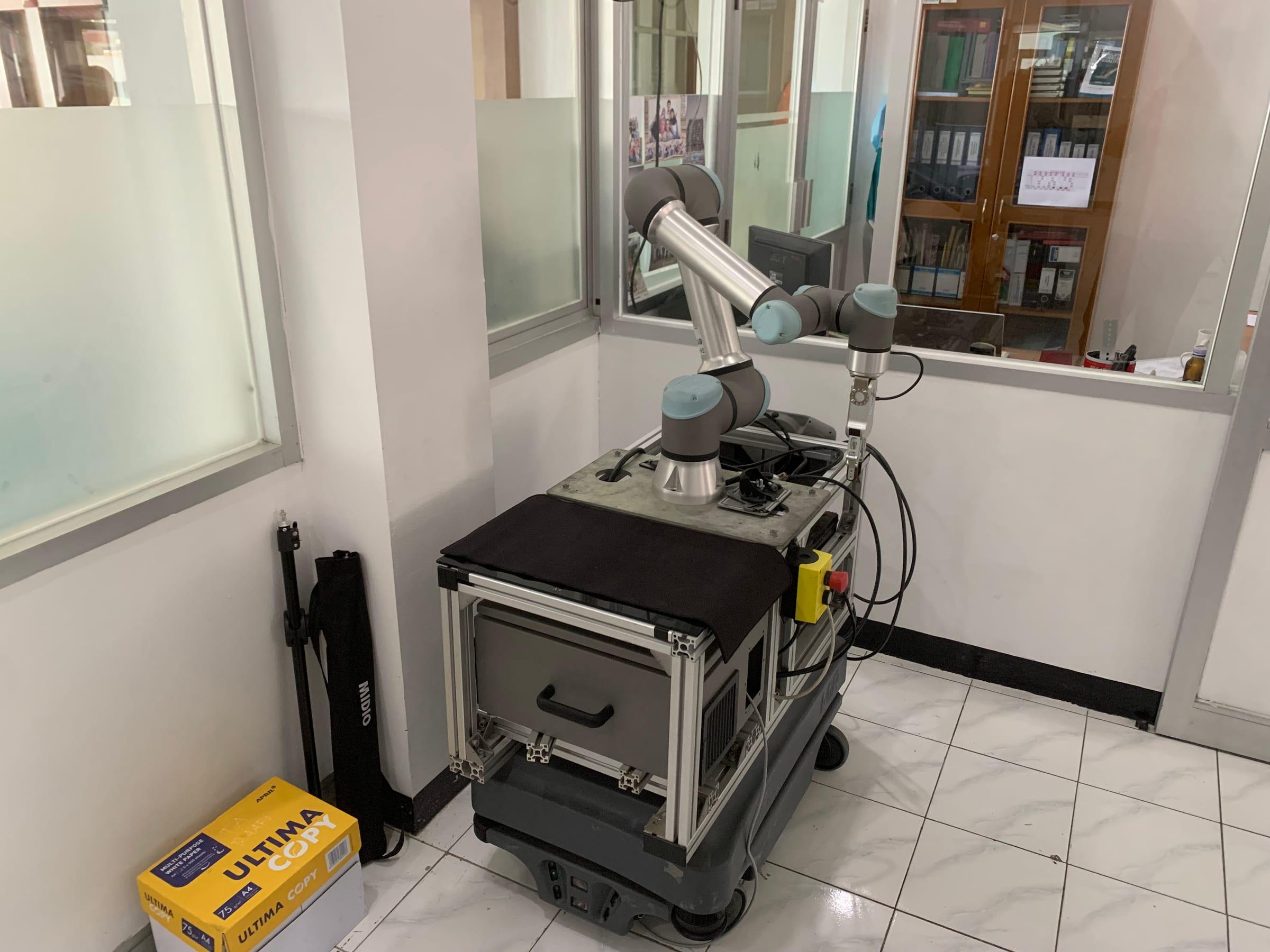
Key specifications
Every value sourcedUR5e official documents
Opens the manufacturer’s site- UR5e datasheet (PDF)Universal Robots · Specifications checked against the September 2026 edition
- UR5e PolyScope 5 user manual (PDF)Universal Robots
- UR5e datasheet (earlier PDF edition)Universal Robots · Dated 08/2023, updated December 2024
- DH parameters for kinematics and dynamicsUniversal Robots · Support article; UR5e/UR7e table
- e-Series service handbookUniversal Robots · PolyScope 5.26 / PolyScope X 10.12
Full specifications
51 fieldsPerformance
| Maximum payload What is this? | 5 kg [1]Usable payload falls as the tool's centre of gravity moves away from the flange; the PDF datasheet includes a payload-versus-offset chart. |
|---|---|
| Reach What is this? | 850 mm [1] |
| Degrees of freedom What is this? | 6 rotating joints [1] |
| Pose repeatability What is this? | ±0.03 mm (ISO 9283) [1] |
Motion
| Maximum TCP speed What is this? | 4 m/s [1] |
|---|---|
| Joint working ranges What is this? | ±360° on all six joints [1]Also published: ±360° on all joints except the elbow, ±160° [2] |
| Maximum joint speeds | ±180°/s on all six joints [1] |
Force and torque sensing
| Force range, x-y-z | ±50.0 N [1] |
|---|---|
| Force precision | ±3.5 N [1] |
| Force accuracy | ±4.0 N [1] |
| Torque range, x-y-z | ±10.0 Nm [1] |
| Torque precision | ±0.2 Nm [1] |
| Torque accuracy | ±0.3 Nm [1] |
Safety
| Configurable safety functions | 23 [1]Also published: 21 [2] · 17 [3] |
|---|---|
| Safety compliance | EN ISO 13849-1 (PLd, Category 3); EN ISO 10218-1 [1] |
Power
| Maximum power consumption | 570 W [1] |
|---|---|
| Typical power consumption | 200 W at moderate operating settings [3]Not listed on the September 2026 online datasheet. The SW 10.12 manual gives approximately 200 W using a typical program. |
Environment
| Ingress protection | IP54 [1] |
|---|---|
| Ambient operating temperature | 0–50 °C [1]The SW 10.12 manual adds that above 35 °C the robot may operate at reduced speed and performance. |
| Humidity | ≤90% RH, non-condensing [1] |
| Noise | < 67 dB(A) [1]Also published: < 65 dB(A) [3] · Robot arm < 60 dB(A); control box < 50 dB(A) [2] |
| Cleanroom classification (ISO 14644-1) | Class 4 at 20% speed and payload; Class 5 at 40% or higher [3]Not listed on the September 2026 online datasheet. |
Physical
| Robot arm weight (including cable) | 20.7 kg [1]Also published: 20.6 kg [3] |
|---|---|
| Footprint | Ø151 mm [1]Also published: Ø149 mm [3] |
| Mounting | Any orientation [1] |
| Materials | Aluminium, plastic, steel [1]Also published: Aluminium, PC/ASA plastic [2] |
| Robot arm cable length | 6 m [1] |
| Robot cable options | Standard PVC: 1, 2, 3, 6 or 12 m; high-flex PUR: 6 or 12 m [2] |
Tool flange and I/O
| Tool flange What is this? | EN ISO 9409-1-50-4-M6 [1] |
|---|---|
| Tool connector | M8 8-pin female [1] |
| Tool digital I/O | 2 inputs, 2 outputs [1] |
| Tool analog inputs | 2, or 1 × RS485 [1]Also published: 2 [3] |
| Tool I/O power supply | 12/24 V; 1.5 A dual pin, 1 A single pin [1] |
Controller and communications
| Controller | e-Series control box (OEM version also available) [1] |
|---|---|
| Control box ingress protection | IP44 [1] |
| Control box I/O | 16 digital in, 16 digital out, 2 analog in, 2 analog out, 4 quadrature digital inputs [1] |
| Control box I/O power supply | 24 V, 2 A [1] |
| Industrial protocols | Modbus TCP (client/server), EtherNet/IP adapter, PROFINET device, PROFIsafe, ROS/ROS2 [1] |
| Hardware interfaces | Ethernet 1 Gb/s, USB 2.0, USB 3.0, Mini DisplayPort [1] |
| System update frequency | 500 Hz [2] |
| Control box power source | 100–240 VAC, 47–440 Hz [1] |
| Control box size (W × H × D) | 460 × 449 × 254 mm [1] |
| Control box weight | 12 kg [1] |
| Short-circuit current rating | 200 A [2] |
Joint data
Why joint limits matterUR5e DH parameters
DH and inverse kinematics explainedStandard Denavit–Hartenberg parameters as published by Universal Robots. θ is the joint variable, so no fixed θ offset is listed. Universal Robots notes that its “a” corresponds to the “r” parameter in some DH references. [4]
| Joint | a (m) | d (m) | α (rad) | Mass (kg) | Centre of mass (m) |
|---|---|---|---|---|---|
| 1 | 0 | 0.1625 | π/2 | 3.761 | [0, −0.02561, 0.00193] |
| 2 | −0.425 | 0 | 0 | 8.058 | [0.2125, 0, 0.11336] |
| 3 | −0.3922 | 0 | 0 | 2.846 | [0.15, 0, 0.0265] |
| 4 | 0 | 0.1333 | π/2 | 1.37 | [0, −0.0018, 0.01634] |
| 5 | 0 | 0.0997 | −π/2 | 1.3 | [0, 0.0018, 0.01634] |
| 6 | 0 | 0.0996 | 0 | 0.365 | [0, 0, −0.001159] |
- Universal Robots publishes one table for UR5e and UR7e.
- These are nominal design values. A specific arm's calibrated kinematics can differ; check your controller's calibration data before relying on nominal values for absolute positioning.
- Universal Robots notes that the standard DH convention is singular when describing parallel joints.
UR5e reach, drawn to scale
How reach is measuredReach across the Universal Robots range
- UR3e500 mm
- UR5e850 mm
- UR7e850 mm
- UR16e900 mm
- UR18950 mm
- UR10e1,300 mm
- UR12e1,300 mm
- UR151,300 mm
- UR301,300 mm
- UR201,750 mm
- UR8 Long1,750 mm
Each bar is the first reach figure on that model’s profile. Manufacturers may measure to different reference points, so compare within one maker’s range.
UR5e URDF and ROS 2 description
Official · BSD-3-ClauseUniversal Robots publishes the UR5e robot description for ROS 2 in its Universal_Robots_ROS2_Description repository (package ur_description). The model’s kinematics, joint limits, physical and visual parameters live in the config/ur5e directory, and the URDF is generated from urdf/ur.urdf.xacro.
To view the model in RViz, as documented in the repository README:
ros2 launch ur_description view_ur.launch.xml ur_type:=ur5eThe DH table above comes from Universal Robots’ published nominal parameters. Each physical arm also carries its own factory calibration, which the ROS driver can extract for accurate kinematics.
Working envelope
Universal Robots publishes UR5e with an 850 mm reach, a 5 kg maximum payload and six rotating joints. The current datasheet gives 20.7 kg including cable and a Ø151 mm footprint, defining the starting geometry for a compact automation cell.
Usable payload depends on the complete tool, its centre of gravity and the planned motion. The maximum value should not be treated as a promise that every 5 kg load can follow every trajectory.
Repeatability and operating limits
Universal Robots lists pose repeatability of plus or minus 0.03 mm under ISO 9283. Repeatability is the ability to return to a pose under defined conditions; it is not the same measurement as absolute positioning accuracy.
The published IP54 protection and 0–50 °C ambient range describe declared boundaries for the arm. The SW 10.12 manual notes possible reduced speed and performance above 35 °C, so environmental conditions remain part of application design.
The robot is not the complete cell
A deployed application also includes the end effector, fixtures, controls, software and appropriate protective measures. Integration and risk assessment determine what the completed system can safely and consistently do.
RoboMag has not physically tested UR5e. Reliability, cycle-time and ownership-cost conclusions would require a declared method and evidence beyond the specification sheet.
Specification history
8 differencesUniversal Robots’ own documents do not always publish the same value. RoboMag shows the value from the newest dated document that publishes each field and keeps the others visible, with the document behind each, rather than silently overwriting them.
| Field | Current value | Other official values |
|---|---|---|
| Joint working ranges | ±360° on all six joints [1] | ±360° on all joints except the elbow, ±160° [2] |
| Configurable safety functions | 23 [1] | 21 [2]17 [3] |
| Noise | < 67 dB(A) [1] | < 65 dB(A) [3]Robot arm < 60 dB(A); control box < 50 dB(A) [2] |
| Robot arm weight (including cable) | 20.7 kg [1] | 20.6 kg [3] |
| Footprint | Ø151 mm [1] | Ø149 mm [3] |
| Materials | Aluminium, plastic, steel [1] | Aluminium, PC/ASA plastic [2] |
| Tool analog inputs | 2, or 1 × RS485 [1] | 2 [3] |
| Teach pendant weight | 1.6 kg including 1 m of cable [1] | 1.8 kg including 1 m of cable [3] |
Applications
Editorial summary- Machine tending
- Assembly
- Inspection
- Laboratory automation
Maintenance resources
Robot GarageUniversal Robots' e-Series service handbook covers inspection, part replacement, software, troubleshooting and spare parts for UR3e, UR5e, UR7e, UR10e, UR12e and UR16e. RoboMag summarises the published inspection intervals below; it does not reproduce service procedures. Isolate the robot safely and follow the manufacturer's handbook for any work.
| Interval | Published inspection items |
|---|---|
| Monthly | Robot arm mounting bolts * (F); tool mounting bolts * (F) |
| Every six months | Blue lids * (V); blue lid screws (F); flat rings (V); robot cable (V); robot cable connection (V); screws and bolts on joints * (F) |
- Service Handbook, e-SeriesInspection, part replacement, software, troubleshooting, electrical drawings and spare parts.Universal Robots · PolyScope 5.26 / PolyScope X 10.12
- e-Series inspection planThe manufacturer's recommended inspection table.Universal Robots · SW 5.26 edition
- Safe isolation before robot maintenanceRoboMag’s stop-work briefing based on UK HSE guidance. Read before any hands-on work.Robot Garage
Comparisons
Build your own comparison- UR5e vs ABB GoFa 5Universal Robots UR5e and ABB GoFa 5 (CRB 15000) compared on payload, reach, repeatability, speed, joint ranges, safety and sensing, with the source for every value.Robot battle · verified 8 October 2026
- UR5e vs FANUC CRX-5iAUniversal Robots UR5e and FANUC CRX-5iA compared on payload, reach, repeatability, speed, joint travel, weight, protection and environment, with the source for every value.Robot battle · verified 9 October 2026
- UR5e vs UR7eUniversal Robots UR5e and UR7e compared field by field: payload, reach, repeatability, speed, joints, force sensing, power and noise, with the source for every value.Robot battle · verified 9 October 2026
- UR5e vs Doosan Robotics M0609Universal Robots UR5e and Doosan Robotics M0609 compared on payload, reach, repeatability, speed, joint ranges, sensing, safety, power and controller, with the source for every value.Robot battle · verified 20 November 2026
Primary sources
- [1] UR5e technical specification (manufacturer’s current PDF)Universal Robots · Specifications checked against the September 2026 edition · accessed 8 October 2026
- [2] UR5e technical specifications, user manual appendixUniversal Robots · Online user manual, SW 10.12 edition · accessed 8 October 2026
- [3] UR5e e-Series datasheet (PDF)Universal Robots · Dated 08/2023, updated December 2024 · accessed 8 October 2026
- [4] DH parameters for calculations of kinematics and dynamicsUniversal Robots · Support article; UR5e/UR7e table · accessed 8 October 2026
- [5] Service Handbook, e-SeriesUniversal Robots · PolyScope 5.26 / PolyScope X 10.12 · accessed 8 October 2026
- [6] Inspection plan, e-Series service manualUniversal Robots · SW 5.26 edition · accessed 8 October 2026
- [7] UR5e PolyScope 5 user manual (PDF)Universal Robots · accessed 18 November 2026